No middlemen. No outsourcing.
You’re talking directly to the person doing the work — not a support ticket system, not a reseller, not someone who just passed an OBS quiz. Direct access, real answers.
Started from a borrowed laptop with no idea what I was doing. Spent over a year pulling OBS apart piece by piece, learning what it could actually do. Got a $300 mini PC running stable 1080p 60fps with plugins loaded. If your setup is broken, messy, or just not doing what you need it to — this is where it gets sorted.
Setup help • Repair work • Plugin troubleshooting • Workflow cleanup
Plenty of people will take your money and send you a generic tutorial link. That’s not what this is.
You’re talking directly to the person doing the work — not a support ticket system, not a reseller, not someone who just passed an OBS quiz. Direct access, real answers.
If the fix is just a YouTube link, you didn’t need to pay for it. Every solution is built around your actual setup, your hardware, and your specific problem — not a template that kind of applies.
Changes get verified in your setup before the session ends. Fiverr sellers often drop settings screenshots and disappear. Here, if it’s not working right, it’s not done.
The help comes from real streaming experience, not a how-to checklist. There’s a difference between knowing OBS and knowing what breaks under live pressure — and that difference matters when your stream is live.
Why this service exists and who’s actually behind it.
I started streaming on TikTok and Twitch off a gaming console. The limitations hit fast — if you wanted to do anything real, you needed a PC and software I’d never touched. I borrowed a laptop, figured out OBS from scratch, and eventually got a stable stream going.
But the more ideas I had, the more walls I hit. I’d ask around — other streamers, forums, communities — and get nothing useful back. Vague answers, dead-end tutorials, people pointing at the same recycled content. Eventually I just stopped streaming altogether.
So I spent the next year or so tearing OBS apart instead. Testing everything. Pushing it to see what it was actually capable of. Took a $300 mini PC from Temu and tuned it until it was running stable 1080p 60fps streams with plugins and background apps running simultaneously — not because I had great hardware, but because I figured out how to make what I had work. Somewhere in that process it became clear: I enjoy the technical side of this more than I ever enjoyed streaming. Solving the problem, understanding the system, making someone’s setup actually function the way it should. That’s what this is.
These examples show the kind of practical OBS work this service is built around: cleaner workflows, cleaner audio, cleaner scenes, and fewer technical headaches.
Real-time example of a clean, professional OBS setup in action — smooth scene switching, polished audio, and reliable streaming.
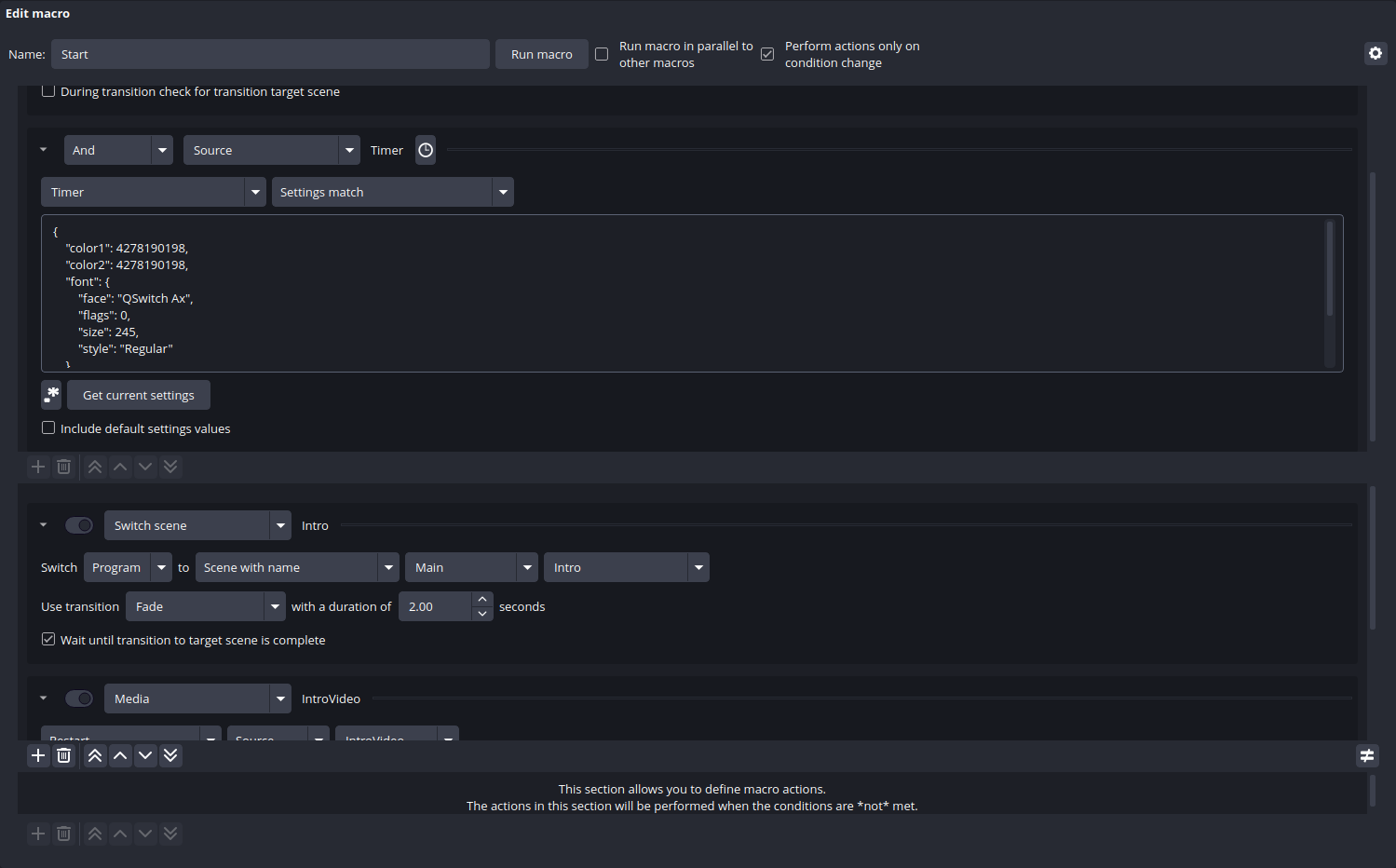
Advanced Scene Switcher logic, macros, timed transitions, and automated scene behavior that reduce manual mistakes and keep streams moving.
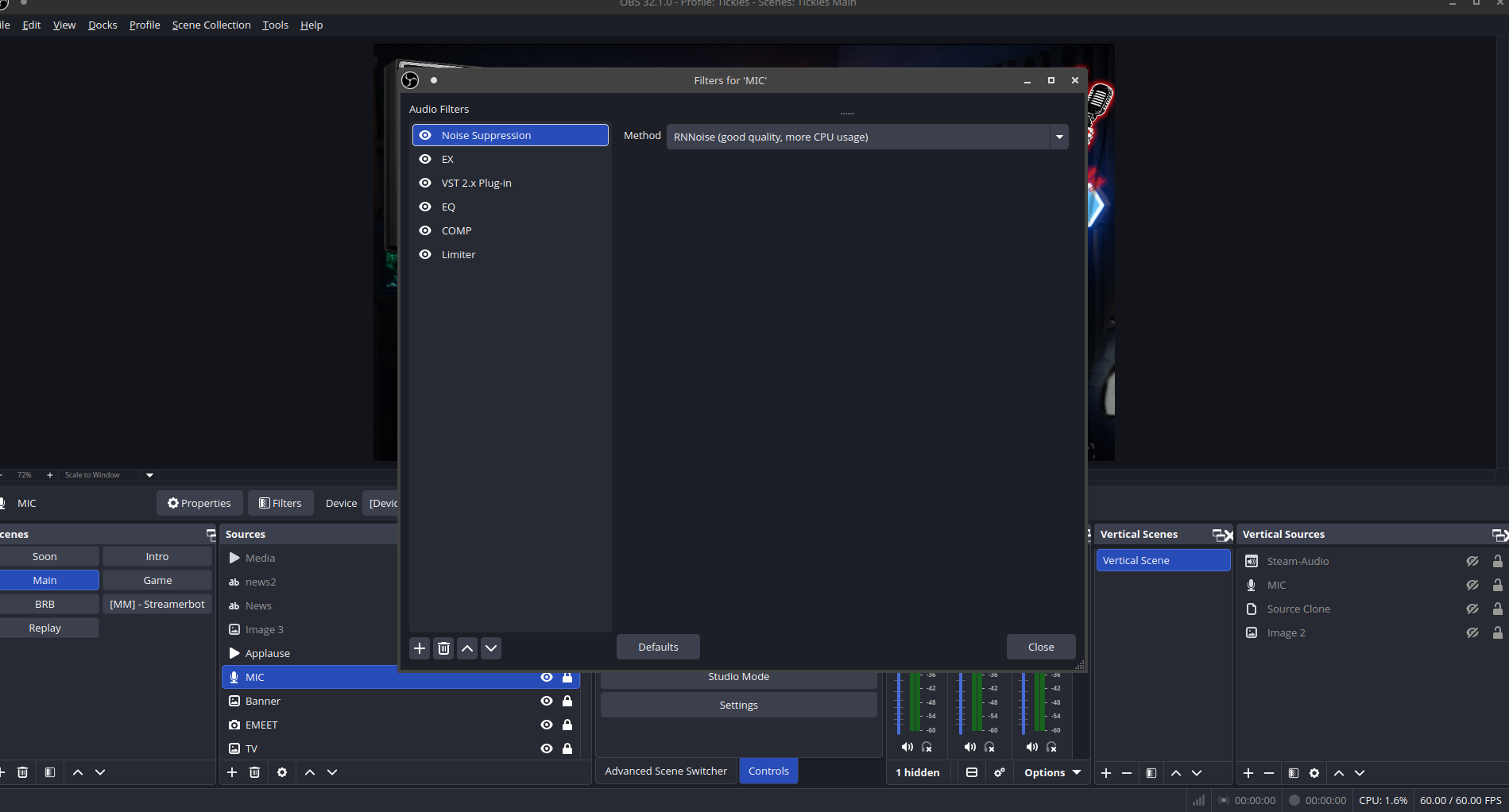
Compression, EQ, limiter, suppression, and routing fixes so your mic sounds clearer, more controlled, and more professional on stream and in recordings.
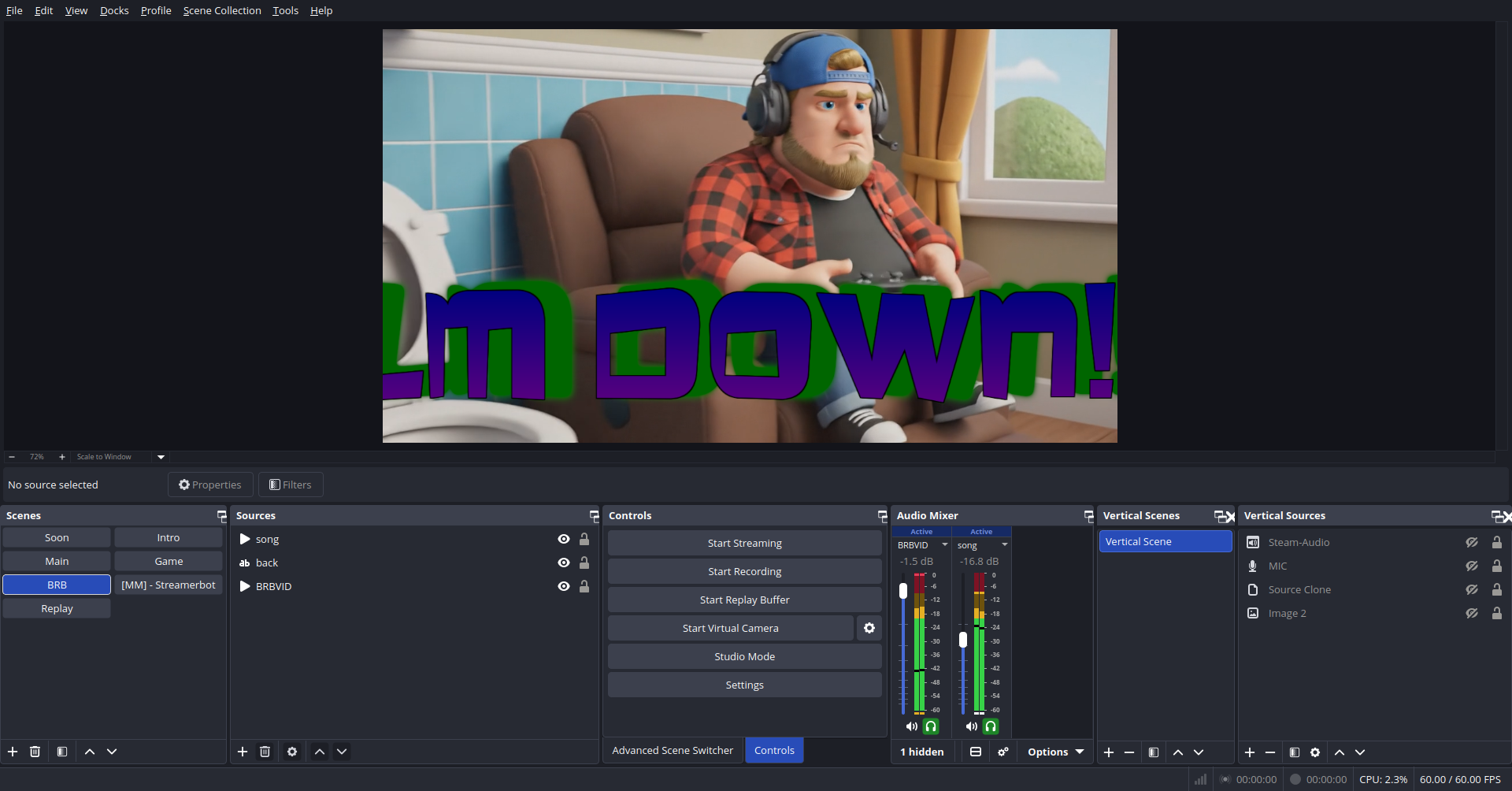
Gameplay, BRB, intro, and support scenes built with a cleaner structure so you can manage your content without hunting through cluttered sources.
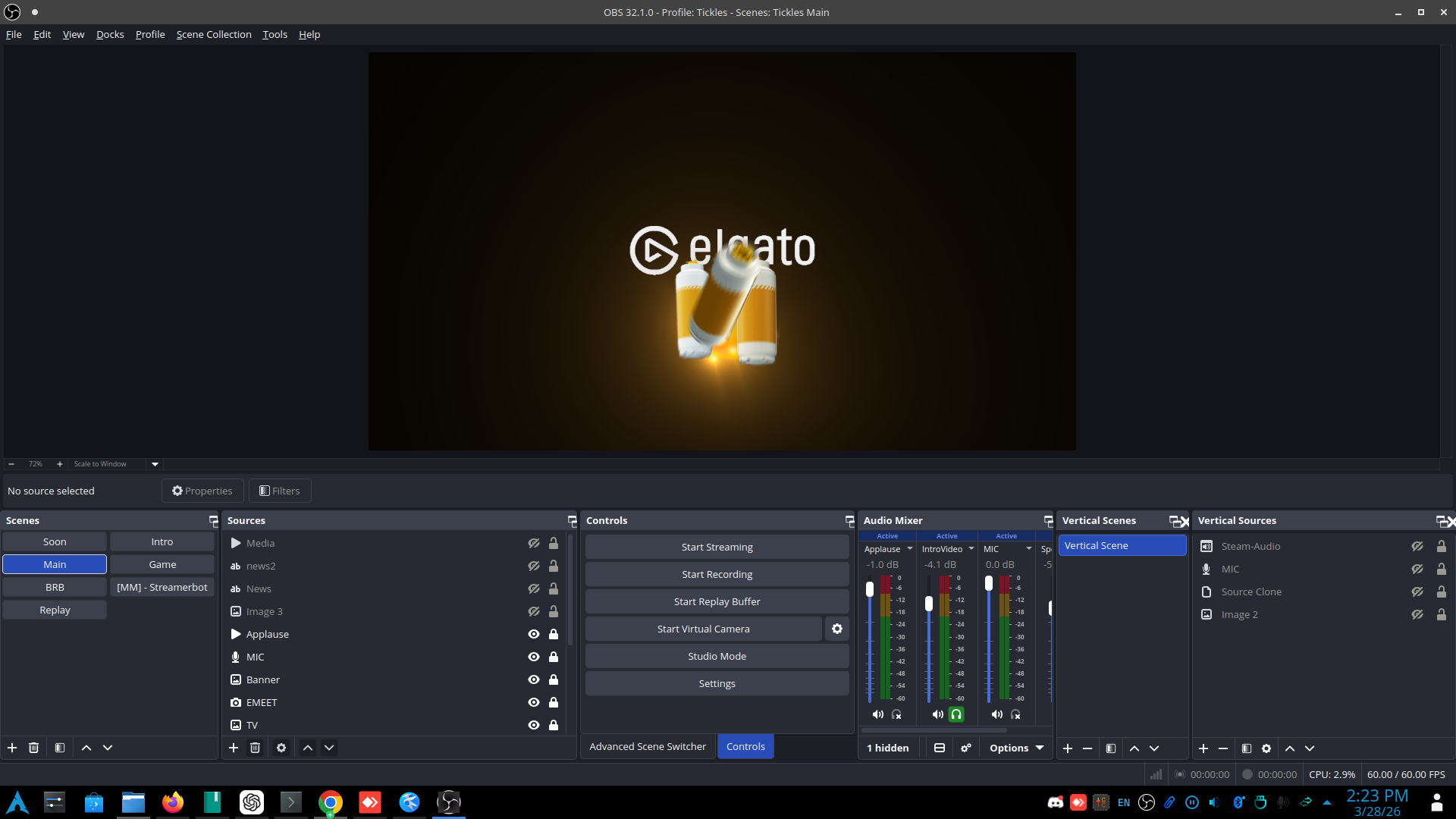
Stinger transitions, cleaner visual handoffs, and smoother scene changes that make the stream feel more intentional and less patched together.
Choose the type of OBS help you need. These services are built to solve real setup, audio, plugin, and workflow problems without wasted time or vague consulting.
Build a clean OBS setup from scratch or repair a project that has become unstable, cluttered, or misconfigured.
Fix performance, encoding, device, sync, or routing issues that keep streams and recordings from working properly.
Install and configure useful OBS-related tools and streamline your production flow for live content creation.
The process is simple: identify the issue, choose the fastest working path, and fix the setup so it is stable, usable, and easier to manage long term.
Describe the issue, the goal, or the type of stream setup you want. This can be a broken system, a partial setup, or a full build request.
Your setup gets broken into clear technical steps so the work stays focused on outcomes instead of random trial and error.
Settings, devices, scenes, and workflows get tuned and checked so the final result is stable and usable for real production.
Every situation is different, so pricing is worked out based on what you actually need — not a fixed rate applied the same way to every request.
For one focused issue that needs to be diagnosed and corrected cleanly.
For creators who need a stable, properly organized OBS environment built to actually hold up.
For more involved work — cleanups, full rebuilds, or production improvements that need real attention.
Not sure what your situation costs — or if it costs anything at all?
Pricing is figured out based on what’s actually involved in your specific situation — everyone’s setup and circumstances are different, so it’s handled that way. Some requests won’t cost anything at all, and if I genuinely can’t help you with what you’re dealing with, you’re not paying for it. The best way to find out where your situation falls is to just send a message. No commitment, no pressure.
Send a MessageReal feedback from streamers and creators who needed their OBS setup fixed and actually got it done.
“I genuinely would have quit streaming a long time ago without this. OBS is a lot to deal with when you’re not technical, and I am very much not technical. Mister Tickles built my entire setup from nothing and every time I somehow break something or need something new added, it gets handled. I don’t have to figure it out alone and that makes all the difference.”
“I watched probably 15 YouTube videos trying to fix my mic. Still sounded like I was recording in a bathroom. One session and my audio was actually good for the first time ever. I was genuinely shocked. Should’ve done this months ago.”
“We needed OBS set up for a two-person podcast and had zero idea where to start. Full build, audio routing for two mics, separate recording tracks, scene layout — all sorted. No tech headaches, no vague tutorials. Exactly what we needed.”
Common questions about the service, who it is for, and the kinds of OBS problems it can solve.
Setup problems, scene structure, recording and stream settings, audio cleanup, sync issues, source problems, plugin setup, and general workflow fixes.
Both. The offer is especially strong for beginners and intermediate creators who need real technical help without wasting time.
No. Quick fixes, cleanup work, and focused troubleshooting are all valid service requests.
Most fixes stick because they’re built properly the first time instead of being patched over existing problems. If something breaks that’s directly related to work covered in the session, reach out and we’ll sort it.
Start with a clear request below. Fill out the form and I’ll get back to you with next steps.
Ready to get your OBS setup fixed, rebuilt, or optimized? Use the form below to send your request directly and describe the issue clearly.
You’ll hear back directly — no automated replies, no support queue. Just a real response from the person who’s actually going to help you.